
AgentHost Client

For hosts that speak AHP

Run them anywhere.Control them from your phone.

Connect to your AHP servers, follow sessions live, and take control from wherever you are.

Get it on Google PlayDownload on the App Store

iOS and Android.

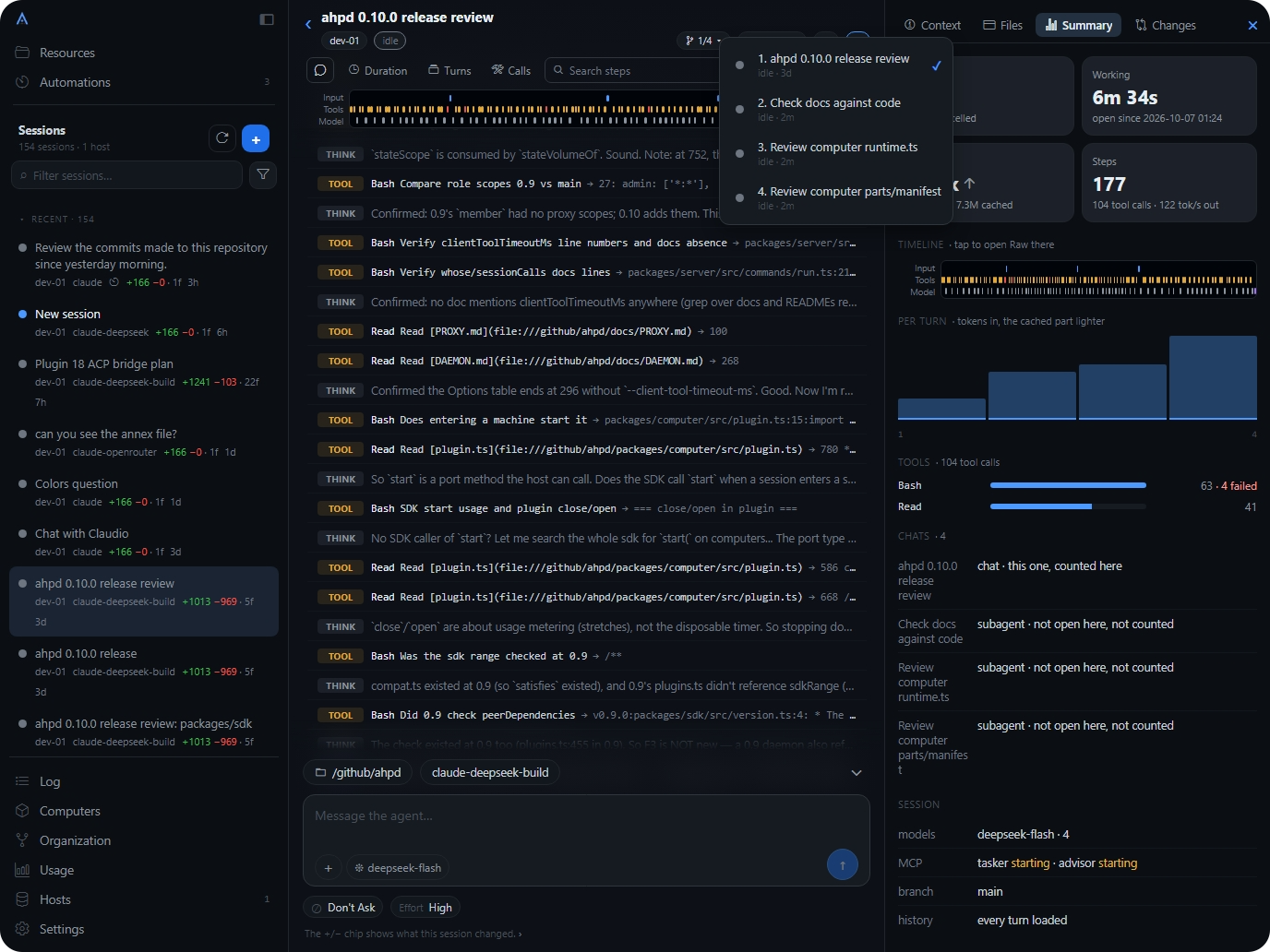
AgentHost Client on a wide screen: the session list, a running session’s steps, and its summary panel.
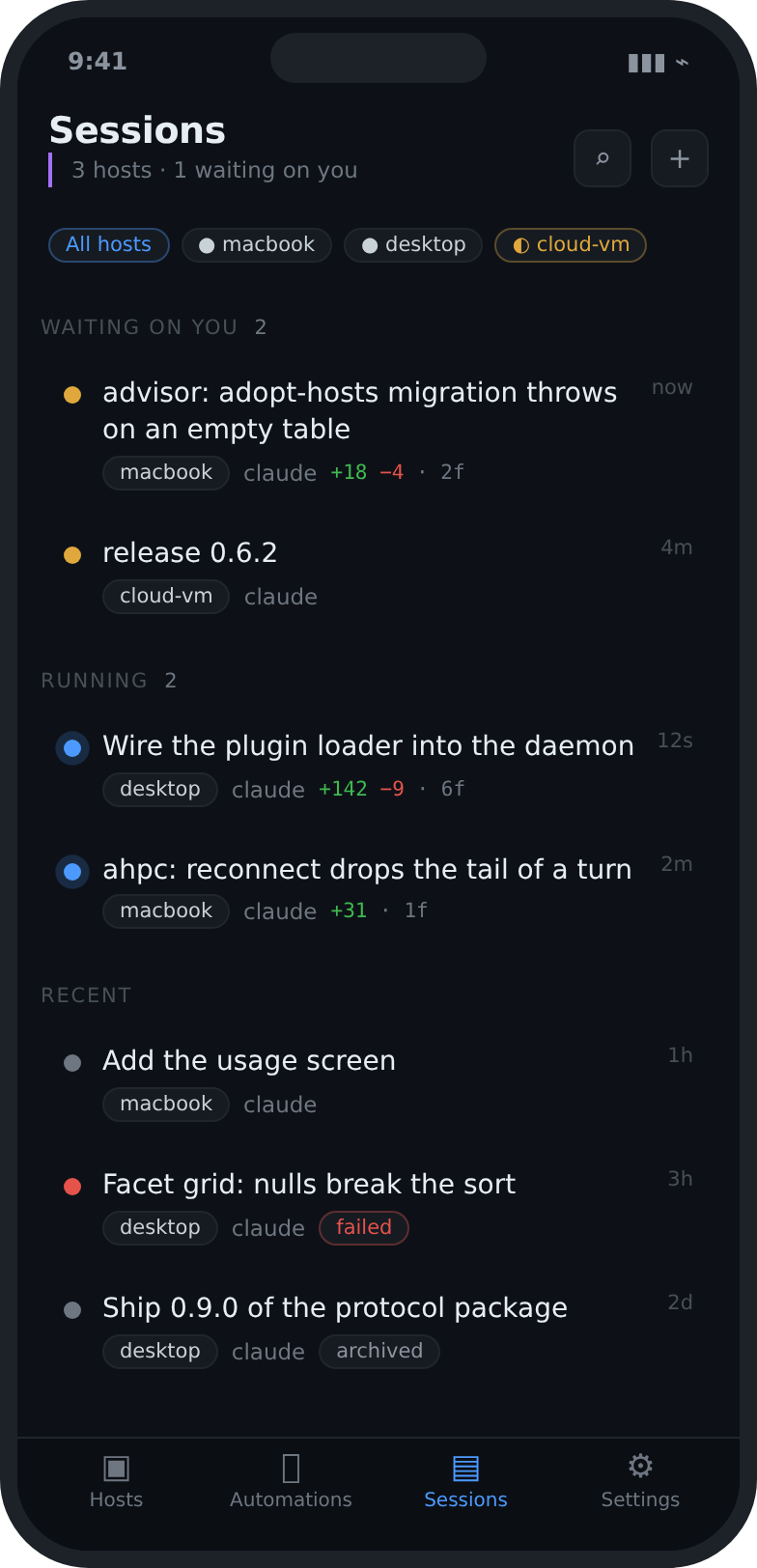
The Sessions screen: a session waiting on you, a failed one, and recent history across two hosts.

1 waiting on you

Hosts

Multiple hosts in one place.

Connect AHP machines and servers. See where your agents are available, and move between them without losing the thread.

phoneOn your LAN.Over a mesh VPN.Through a TLS tunnel.workstationokvpswaitingcontainerfailedworkstationLANokvpsmesh VPNwaitingcontainerTLS tunnelfailed
  1. 01On your LAN.
  2. 02Over a mesh VPN.
  3. 03Through a TLS tunnel.

Beyond your own network: put it on a mesh VPN first, then a TLS tunnel. Never forward a bare port. Whatever is behind that port can read and write your filesystem as your user.

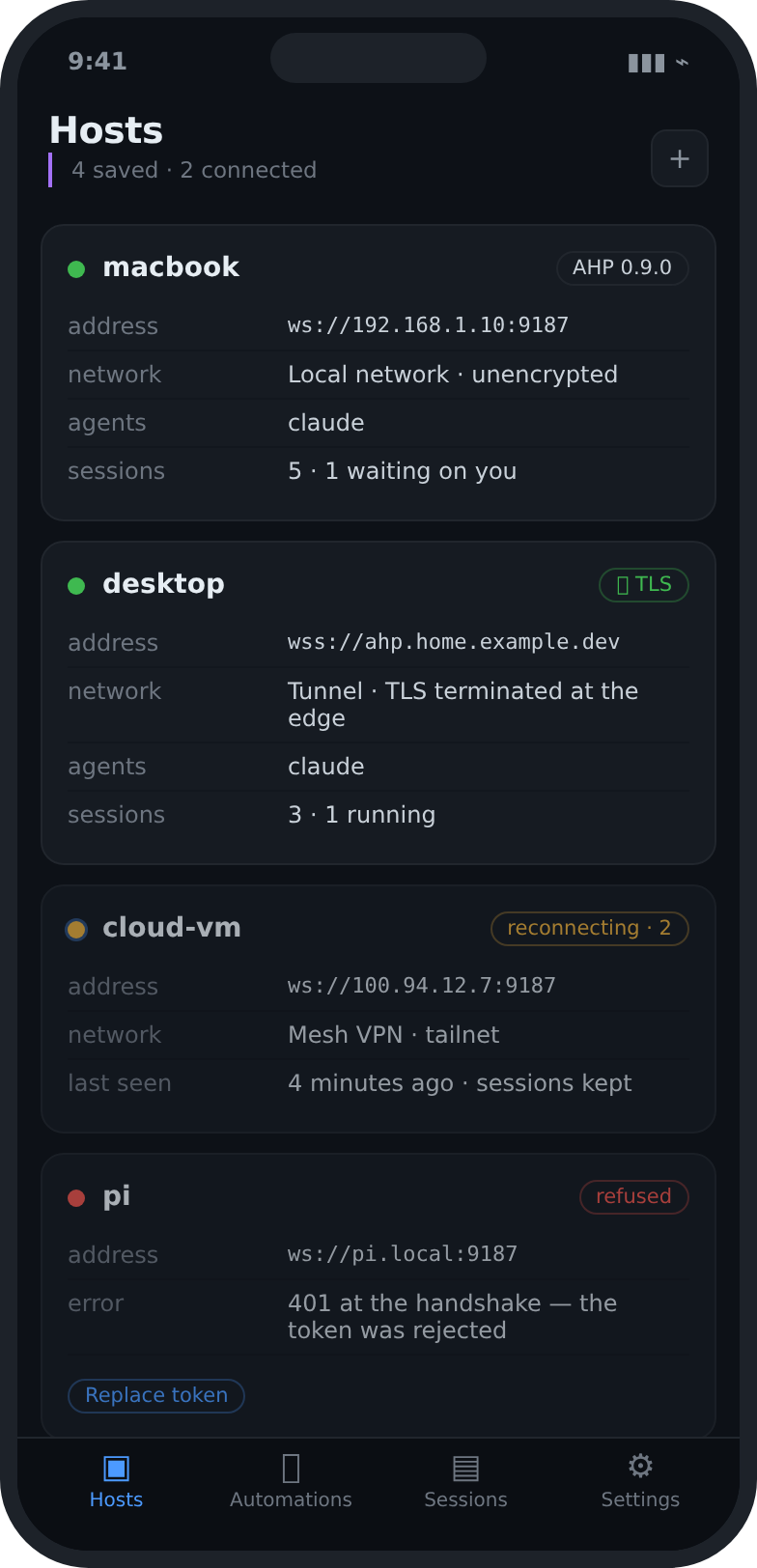
The Hosts screen: two connected hosts with their sessions, automations and agents.
  • On your LAN or over a VPN
  • Capabilities read at the handshake
  • Tokens kept on the device

The whole app, with you

Leave the desk. Not your agents.

Your agents keep working while you’re away. Follow their progress, answer questions, approve actions, and pick up where you left off. All from your phone.

waiting on you

Say yes or no from anywhere.

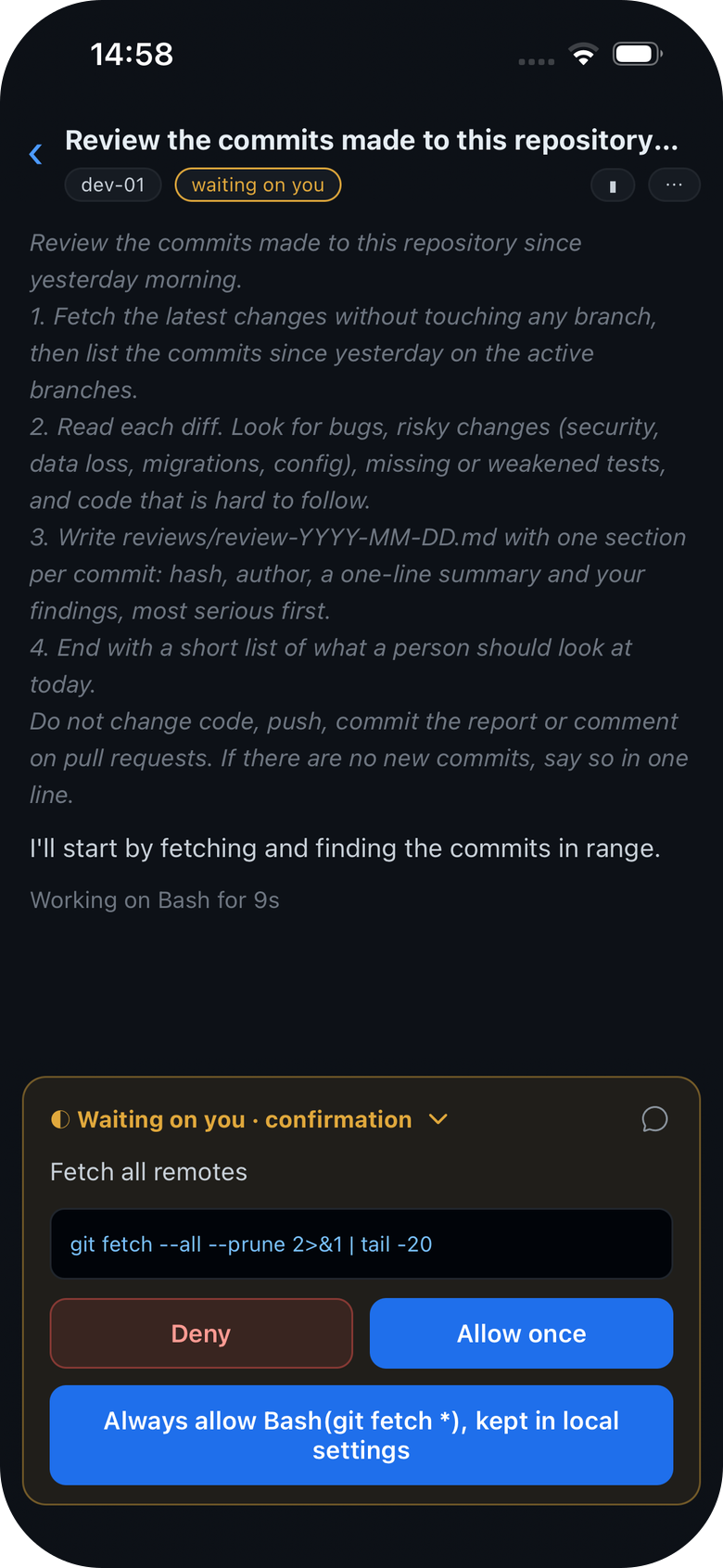
When an agent asks before it runs a command or edits a file, the request reaches your phone. Read what it wants to do, then decide.

  • The exact command, before it runs
  • Allow once, always, or deny
  • The session goes on where it waited

02 Approvals

03 Changes

Review every change before it ships.

See exactly what your agent did, and what it cost.

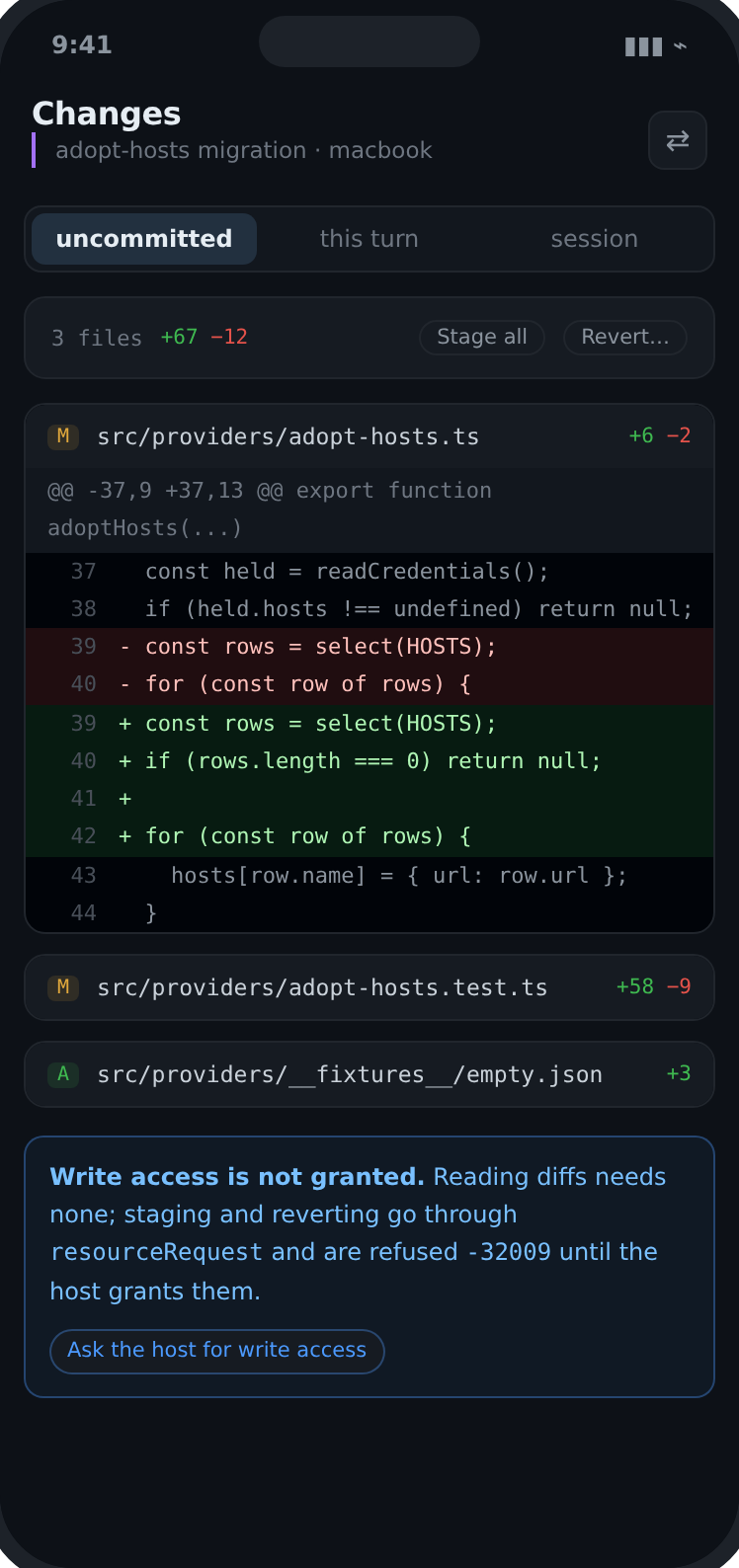
Changes on the phone: three files with a diff open.
A session waiting on you: the agent asks to run a git command, with Deny, Allow once and Always allow.

01 Sessions

Every session, wherever you are.

Start sessions, follow each step, and step into the conversation the moment an agent needs a decision.

  • Live status
  • Messages and requests
  • History by host and workspace
  • Plugin 18 ACP bridge planok
  • Review the commits made to this repository since yesterday morning.waiting on you
  • Can you see those files?failed
ok
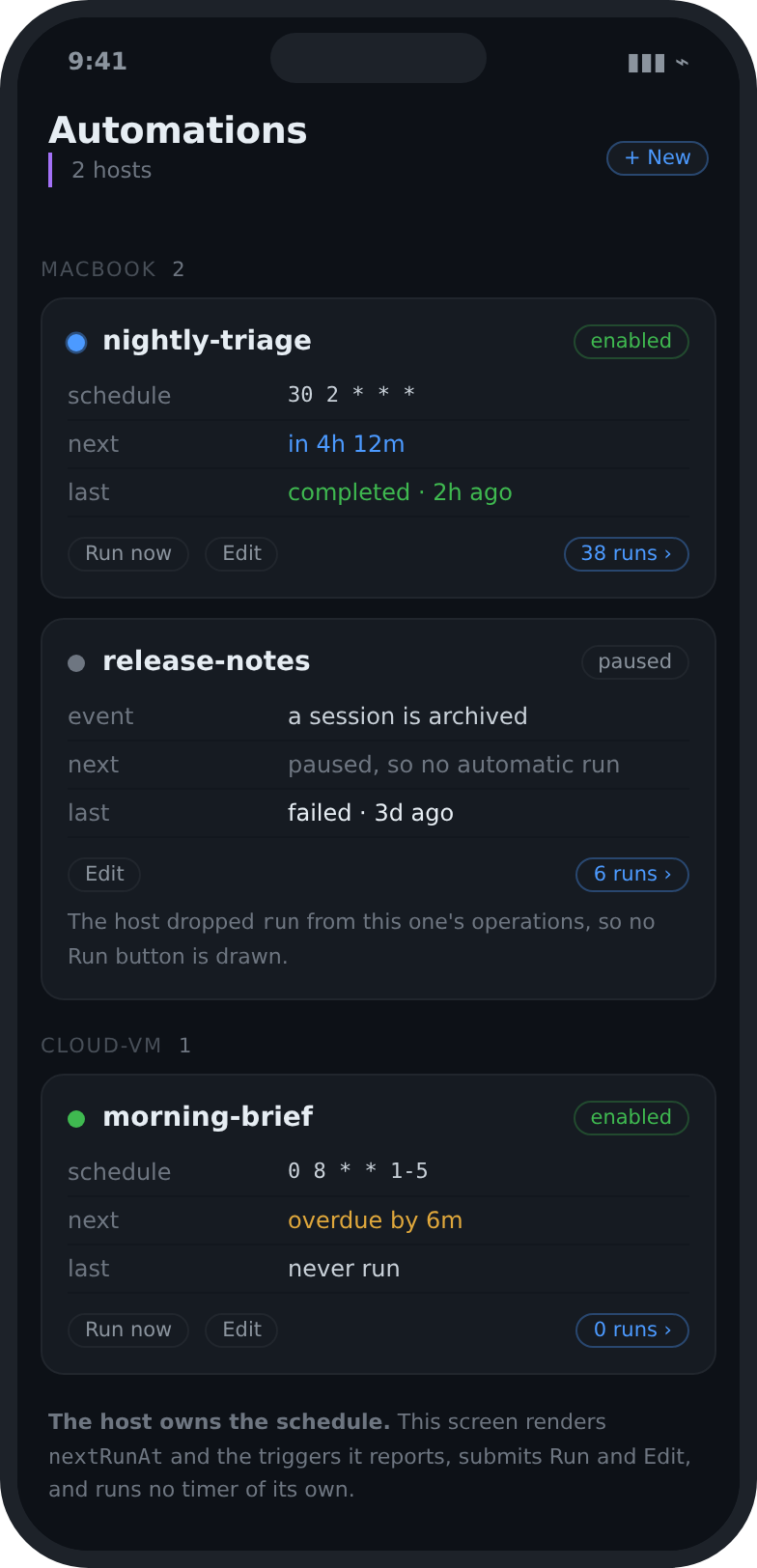
  • An automation: its prompt, an enabled switch, its last run, and Run now.

    06 Automations

    Agents that work while you are away.

    Create and follow automations on your own hosts. See when the next one runs, how the last one ended, and what wants attention.

    • Schedules and triggers
    • Enable or pause from the phone
    • Runs linked back to their session
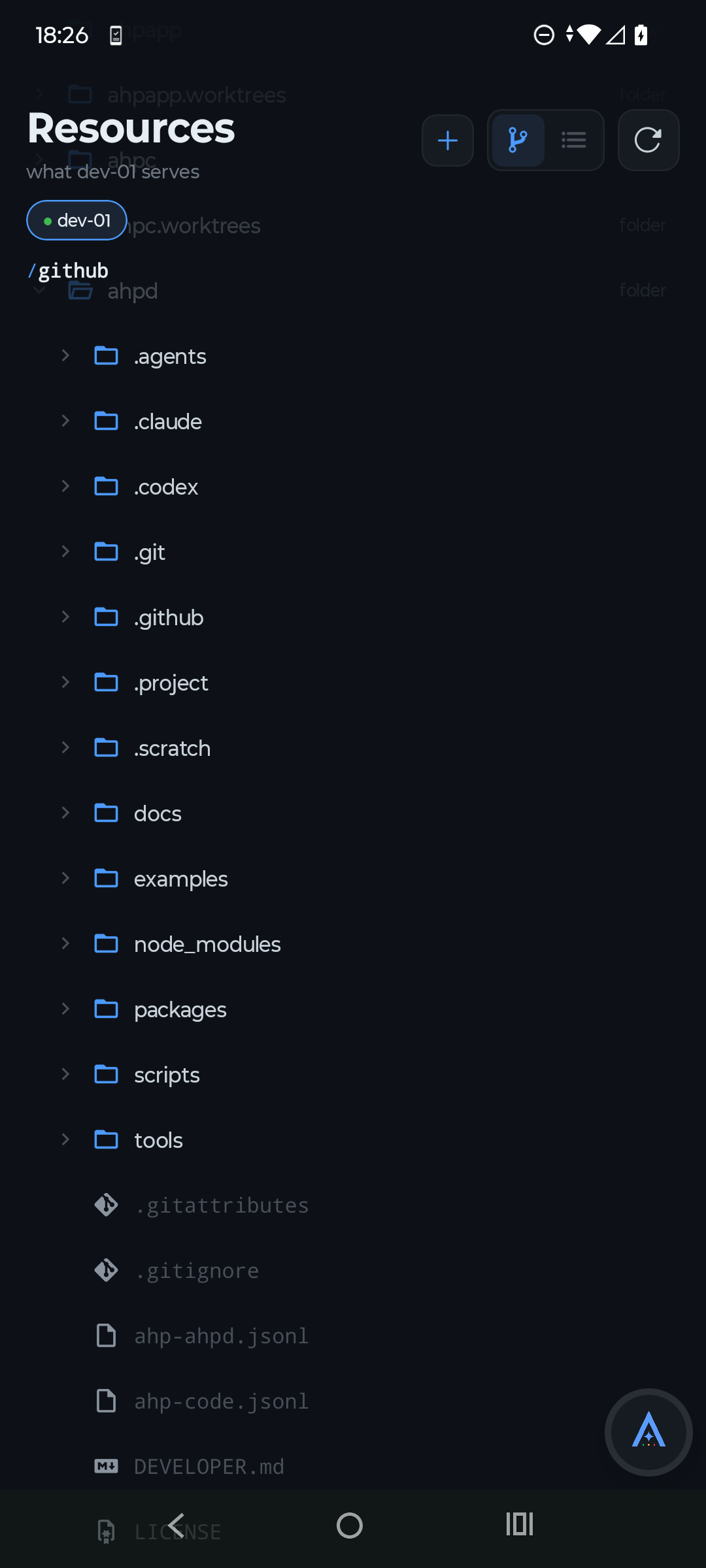
  • Resources on an Android phone: the folders and files of a project on dev-01.

    04 Resources

    The files your agents are working on.

    Walk the resources a host exposes, read documentation, and check what changed without switching apps.

    • Files, folders and resources
    • Code and Markdown rendering
    • Access decided by your host
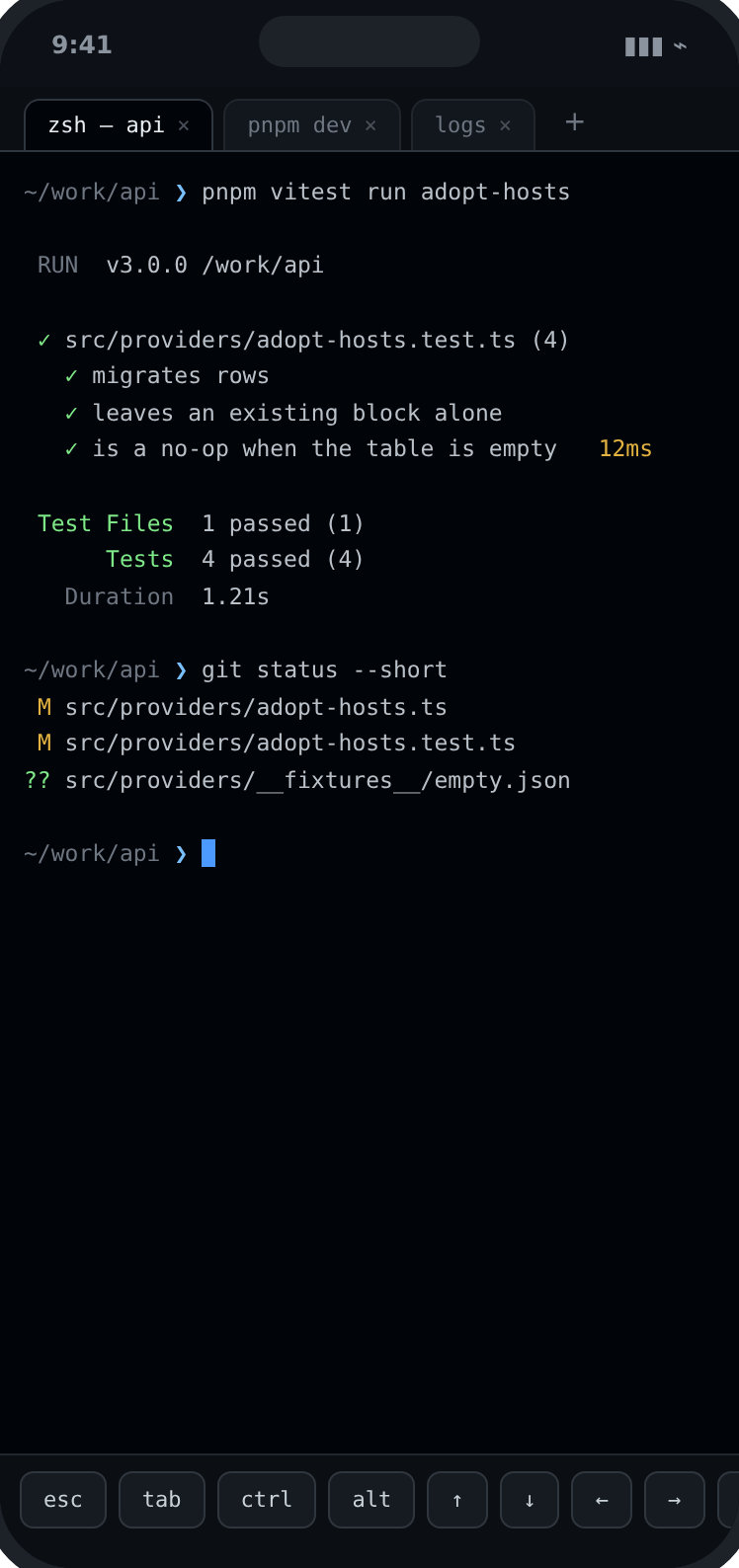
  • A terminal on the host: a test run and git status.

    05 Terminal

    A terminal on the host.

    Open a shell on any connected host, or follow the one a session is running. The keys a phone keyboard lacks sit above it.

    • Shells tied to a session, or on their own
    • Esc, tab, ctrl, alt and the arrows
    • See who holds the keyboard, and take it

Before you start

Run your own server.

Step one · your server

Your agents already run on a machine you own, so keep them there. Start a host in the editor you have open, or run the reference host on a laptop, a VM or a container: the app is the window onto it, and nothing of ours sits in between.

  • The agent host in VS Code.

    VS Code ships an Agent Host, and it runs standalone as well as inside the editor. If VS Code is already where you work, you are a step away from a host.

    code.visualstudio.com
  • ahpd, the reference host.

    The host this app is built and tested against. Free, open source, and happy on Node, Bun or Deno: your workstation, a server, a VM or a container.

    github.com/softov/ahpd

Any server that speaks AHP will do, and these two are the easiest place to start. Whichever you pick, it is yours, and only you run it.

Step two · the app

Connect the app to it.

Nothing to create, no account, no cloud in between. Give the app the address of the server you just started.

  1. Add the host.

    An address and a port. ws:// is assumed if you leave the scheme out.

    192.168.1.10:9187
  2. Paste the token.

    Your host writes a connection token when it starts. Paste it here. A wrong token is refused at the WebSocket handshake, so it appears as a failed connection rather than a protocol error.

  3. Start a session or automation.

    Open a workspace and start a session, or schedule an automation to run on its own. Everything the host publishes arrives in the inbox, ordered by which one needs you.

The token is not an account and it is not ours. It is the secret your own server generated, and it stays on your device.

No small print

The questions that decide if this is for you.

What does it cost?

Nothing, during early access. Paid plans may come later. If they do, they are announced here and in the app first, and nothing is charged unless you choose to buy it.

Does it work without a host running?

No. It is a client, so it needs a host to connect to, the way a browser needs a site. Setting one up is a single command on the machine that runs your agents.

Do I need an account?

No account, no login, no cloud. You enter your own host address and token, and both stay on your device.

Is my code sent anywhere?

Only to the host you configured, over the connection you configured. There is no backend of ours in the path and the app has no analytics.

Which hosts can it talk to?

Any server that speaks the Agent Host Protocol, including the reference host and the VS Code agent host. The app reads what a host advertises at the handshake rather than assuming a version.

Run them anywhere. Control them from your phone.

Leave the desk. Stay in control.

Get it on Google PlayDownload on the App Store